TradingView indicator · invite only

Trade the levels.
Not your emotions.

FinScope Signals gives you clean buy and sell signals on Nifty, Bank Nifty, Sensex and gold — every one with the entry, stop loss and three targets already marked on your chart.

  • Breakout, reversal and swingThree models on one chart, never firing over each other
  • TP1, TP2 and TP3 drawnStop jumps to breakeven once the first target fills
  • Closed candles onlyWhat you see in history is what printed live
GOLD · 3m live
NIFTYBANK NIFTYSENSEXGOLD
Signal fired BUY · Gold
Entry1,24,380
Stop1,24,150
Risk230 pts
What's inside

Three models, balanced so they never fight each other

Model 1

Opening Range Breakout

Marks the high and low of the first minutes after the open, then takes the first clean break out of that range — the move that sets the tone for the day.

  • EntryCandle closes outside the opening range
  • StopOpposite side of the range
  • TargetFixed points, then the rest trails
  • SkipRange too small, too wide, or past your cut-off time
Model 2

15-Minute Reversal

Watches the higher timeframe for a candle that sweeps the previous low and closes back above it, then waits for your chart timeframe to confirm before entering.

  • Setup15m candle sweeps and reclaims the prior candle
  • Entry3m candle closes beyond the recent range
  • StopLow or high of the sweep candle
  • SkipStop too wide, or too soon after the last trade
Model 3

Swing Positions

For traders who can't watch a screen all day. Reads daily and 4-hour structure, marks the pullback zone, and holds for days instead of minutes.

  • EntryPullback into the zone, with the trend
  • StopBelow the swing that created the move
  • TargetPrior swing high, then trail on the daily
  • SkipEarnings week, or structure against the trend

Only one trade runs at a time. If both models fire on the same candle the breakout wins, a breakout cancels a waiting reversal, and a cooldown stops back-to-back entries. Daily caps on trades and losses apply to both.

How it works

Signal to exit, without you doing the maths

1Signal prints

BUY or SELL on the entry candle.

2Levels drawn

Entry, stop and TP1–TP3.

3Targets fill

Stop jumps to entry at TP1.

4Trade closes

Trail takes the rest. Result printed.

Features

Everything marked for you, nothing to calculate

Entry, stop, 3 targets

Every level priced on the chart.

Breakeven & trailing

Stop follows the move up.

Phone alerts

Entry, each target, and the stop.

Live dashboard

Position, targets hit, points today.

Daily limits

Caps trades. Stops at your loss cap.

No repainting

Closed candles only. History = live.

On the chart

What it looks like while you trade

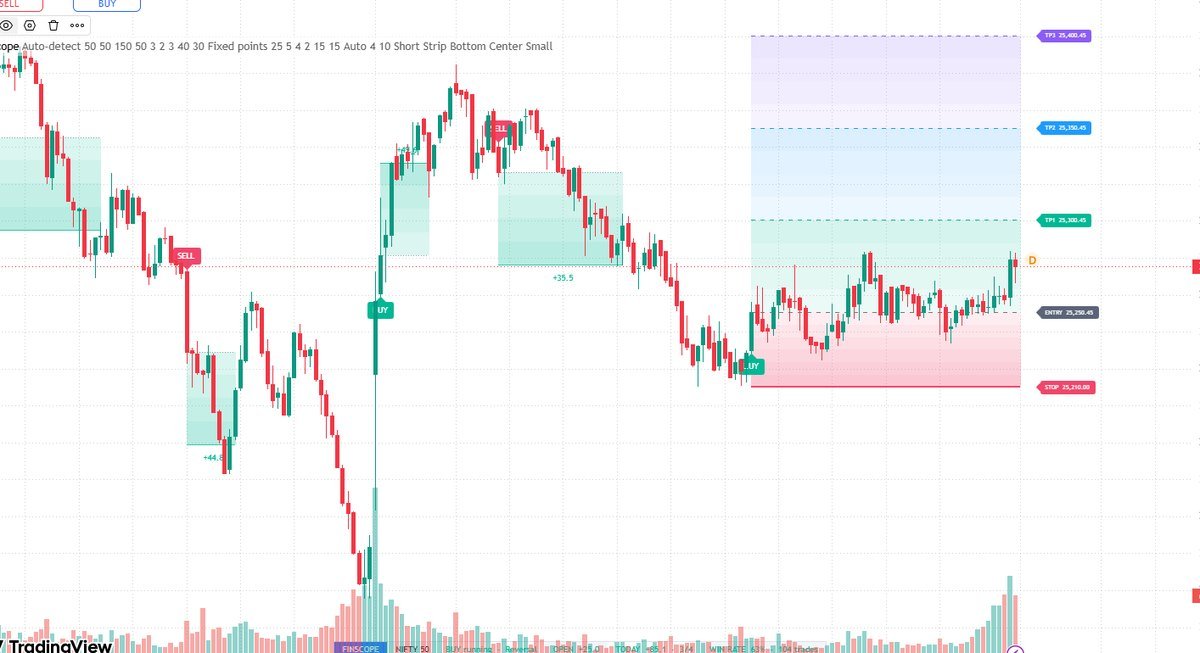
Buy and sell signals with stop loss and target lines

Signals and levelsEntry, stop and targets tagged with prices on the right.

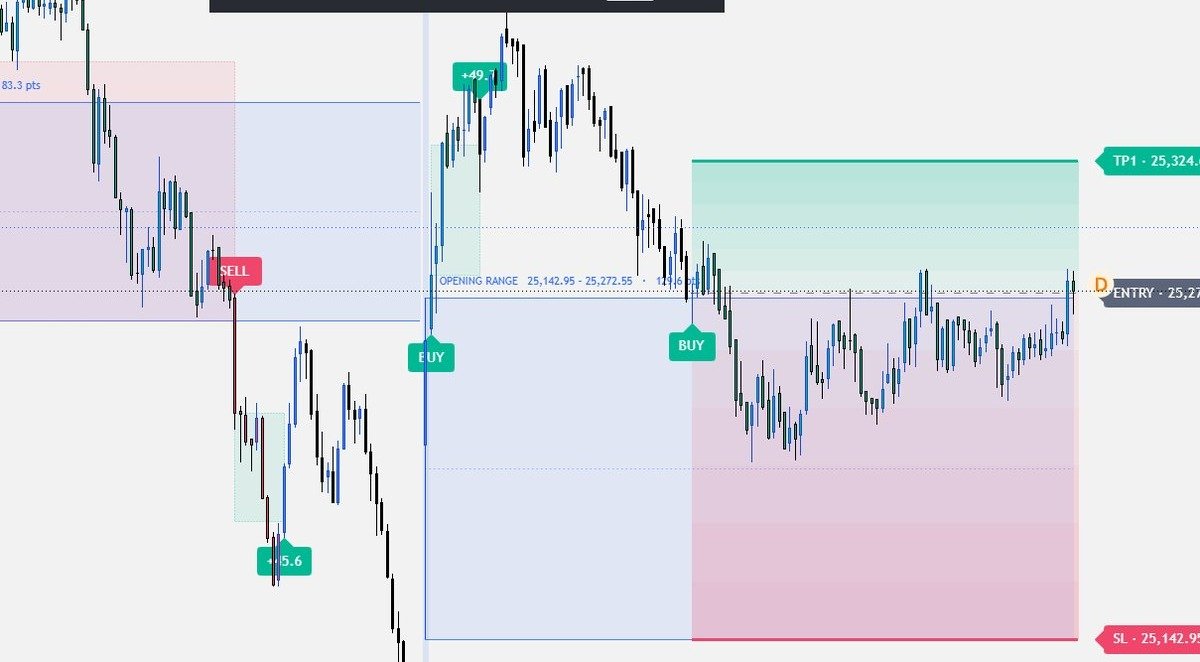
Shaded risk and reward zones around a trade

Risk and reward zonesThe stop zone in red, the target zones lighting up as they fill.

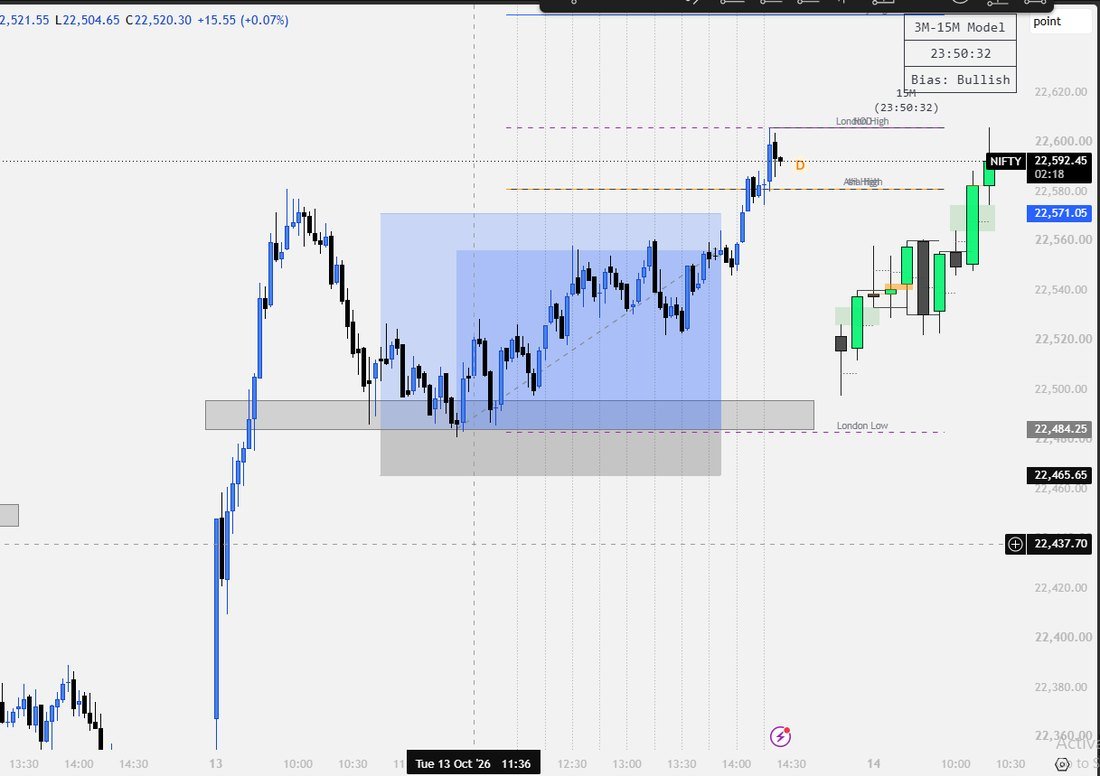
The reversal model marked on a Nifty chart

Reversal on NiftyHigher-timeframe sweep with the session levels marked.

Screenshots are from live charts. They show how the tool draws setups, not a record of results.

Traders using it

What people say after a month on it

Pricing

Indicator or full algo bot

The indicator marks the trade on your chart. The algo bot takes it further — the same models wired to your broker so the orders go in without you clicking.

Early bird30% off every packQuote the code at checkout. Ends .
Code
00days00hrs00min00sec

IndicatorSignals and levels on your chart

Algo botSignals wired to your broker, orders placed for you

What's includedGoldIndexSwingAll Markets

Open a trading account through FinScope and the indicator comes free with any course or the mentorship programme. Prices shown are sample values.

Questions

Before you buy

Does it place trades for me?

No. It marks the setup and the levels on your chart and sends alerts. You place every order yourself, in your own broker account. Nothing connects to your funds.

Does it repaint?

No. Both models read closed candles only, so a signal that printed in history is the same signal you would have seen live. Levels do move in one honest way: the trailing stop steps up as price advances, which is the point of it.

Which chart and timeframe should I use?

A 3-minute or 5-minute chart. The breakout reads the opening range from the session start; the reversal reads 15-minute candles and enters on your chart timeframe.

Which markets does it work on?

It is tuned for Nifty, Bank Nifty, Sensex and gold, with point targets set per index. It will run on other symbols, but you will need to set the target points yourself.

Do I need a paid TradingView plan?

A free plan works for one indicator on one chart. Paid plans let you run more indicators and set more alerts at once, which most traders end up wanting.

Will it make me profitable?

No tool can promise that. It enforces a written plan — a defined entry, a stop that is always placed, targets and daily limits. What it removes is hesitation and guesswork; the discipline to follow it is still yours.

How do I get access after paying?

Send your TradingView username and we add it to the invite-only list, usually within a few hours. The indicator then appears under Invite-only scripts in your account.
Get access

Pay, send your ID, start trading

  1. 1

    Pick your plan

    Indicator or algo bot, and the billing period that suits you.

  2. 2

    Pay securely

    UPI, card, net banking or wallet. Quote code for the early-bird 30%.

  3. 3

    Send your ID

    Your TradingView username for the indicator, or your email for the bot.

  4. 4

    Access within hours

    The indicator appears under Invite-only scripts. Bot setup is booked on a call.

Pay securely →

Payments handled by the gateway — we never see your card details.

Request access

Already paid, or want to be invoiced first? Send your details and we'll set it up.

Contact us

Risk disclosure. FinScope Signals is a charting tool for education and analysis. It is not investment advice, not a tips service and not a guarantee of profit. Trading in equities, derivatives, commodities and currencies carries substantial risk of loss. Screenshots show how the tool draws setups and are not a record of results. You are responsible for every order you place.